Wellify (Mobile App)
Wellify is a mobile app for tracking daily activity, sleep, and habits. It connects to fitness trackers, visualizes progress, and helps users stay consistent through clear goals and simple gamification.
Context
Wellify is a self-initiated product design project, a mobile wellness app I designed from scratch to explore data visualization, habit tracking, and onboarding in health products.
I picked this space because most wellness apps show a lot of numbers but do not help you understand whether your day was actually good or bad. I wanted to design a product that answers one clear question and makes the data actionable.
I owned the full process, from defining the problem and running research to building the design system and testing the solutions with real users.
The Problem
Fragmented Tracking
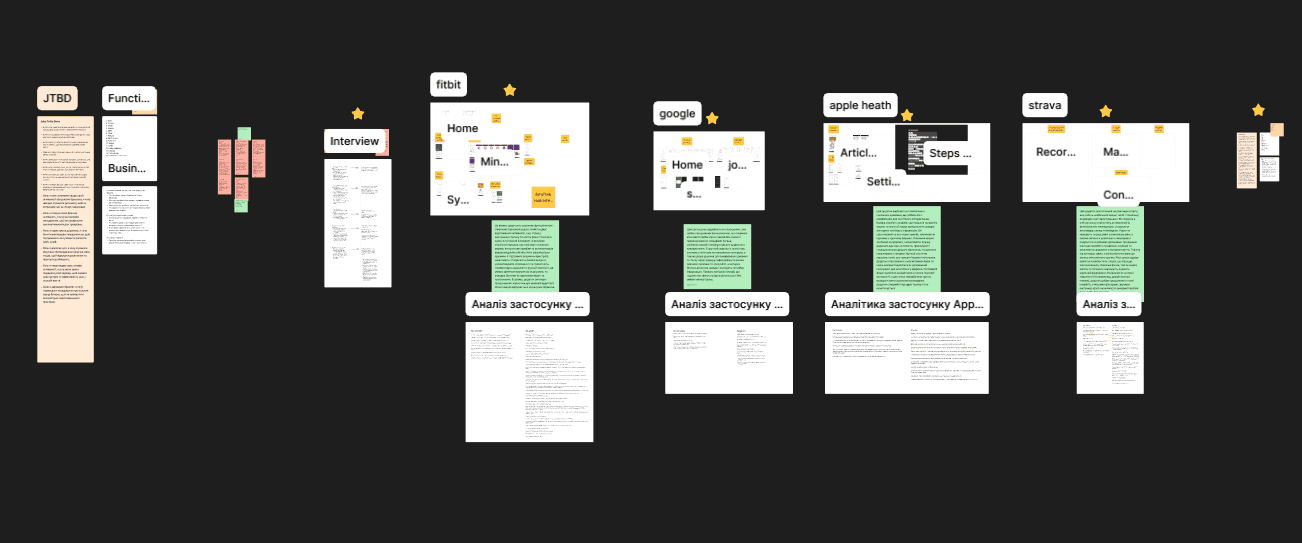
Activity data is spread across apps and devices, making it difficult for users to form a clear picture of their progress and reducing confidence in daily tracking.
Low Motivation
Lack of visible feedback, trends, or milestones makes progress feel invisible, reducing motivation to continue tracking and weakening long-term habit formation.
Unclear Progress
Too many metrics without clear prioritization make it hard for users to understand whether they are improving, leading to weaker daily return behavior and reduced engagement.
Device Pairing Friction
Slow and confusing device pairing increases friction during onboarding, causing early drop-off before users experience the core value of the product.
Research & Insights
User interviews and behavior analysis revealed patterns directly affecting activation, engagement, and early retention.
Clear Daily Signal
Users want one clear daily signal to understand whether the day was successful, which strongly influences their decision to return the next day.
“I just want to know if today was a good day.”
Pairing = Drop-off
Complex setup causes early abandonment, preventing users from reaching the core product value during their first session.
“If it does not connect fast, I stop trying.”
Metrics Are Confusing
Numbers without context or guidance fail to communicate progress, increasing cognitive load and reducing confidence in the data.
“The numbers look fine, but I do not know what they mean.”
No Visible Progress
Without visible weekly or monthly progress, users struggle to recognize improvement over time, leading to declining motivation and engagement.
“I lose interest if nothing is moving forward.”
Decision Process
SOLUTION
PROBLEM
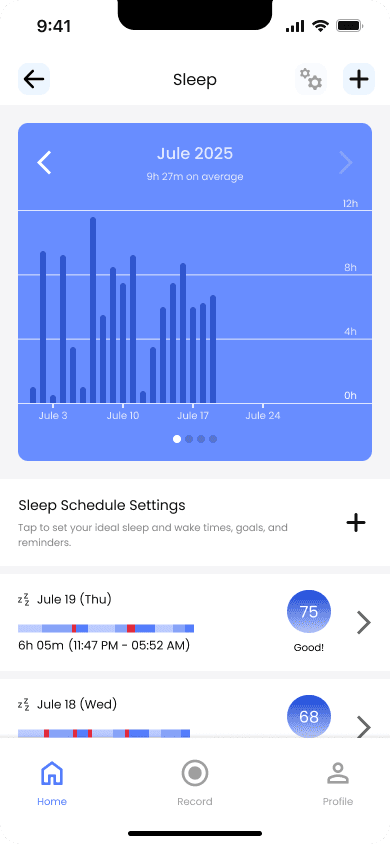
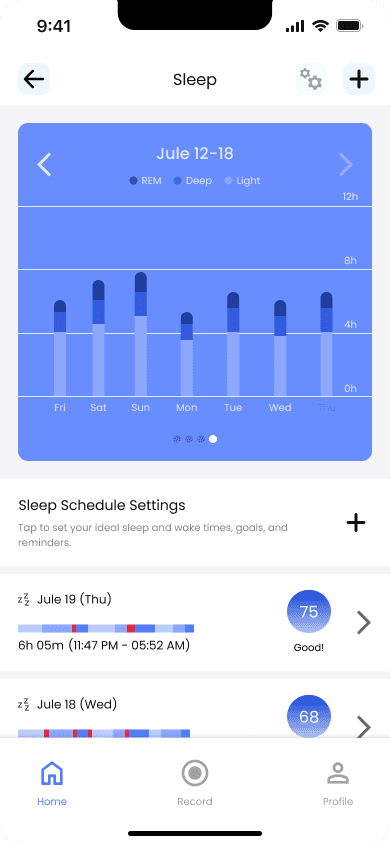
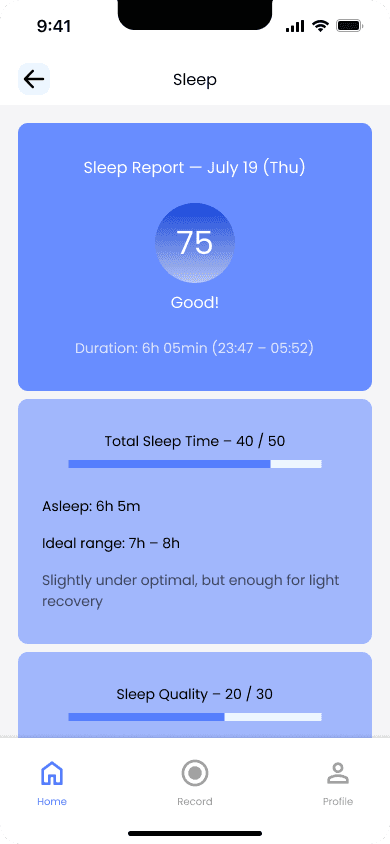
Sleep data without long-term views makes it difficult to understand patterns and track progress over time.
SOLUTION
Added weekly, monthly, and yearly sleep views to highlight long-term trends.
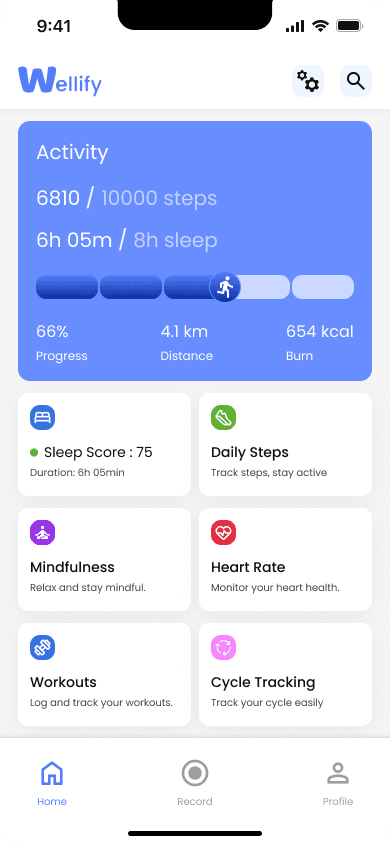
Introduced clear visual comparisons and a daily sleep score to support faster understanding.
IMPACT
Users identified long-term sleep patterns faster during testing.
11 out of 12 participants correctly recognized trends across multiple days.
Long-term views encouraged deeper interaction with sleep analytics.
Participants reported lower cognitive effort when reviewing their sleep data.
METHOD
Comparative usability testing on interactive prototypes.
Two versions were tested:
Nightly sleep view vs. long-term views.
12 participants completed the same insight-focused tasks in randomized order.
Measured time-on-task, task success, interactions, and qualitative feedback.
PROBLEM
Complex onboarding flows increase uncertainty and friction during sign-up.
SOLUTION
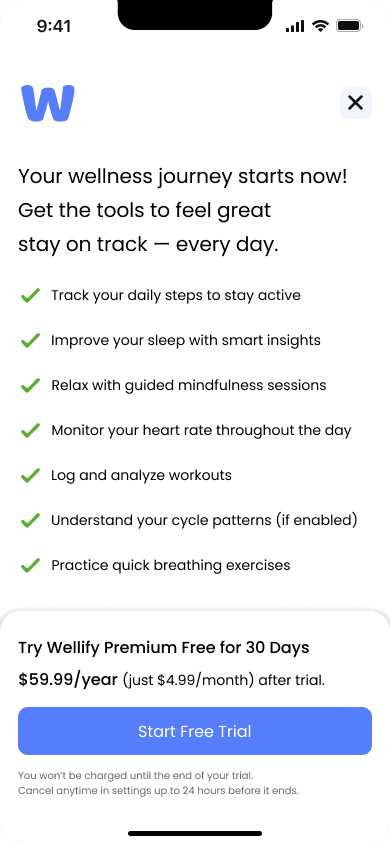
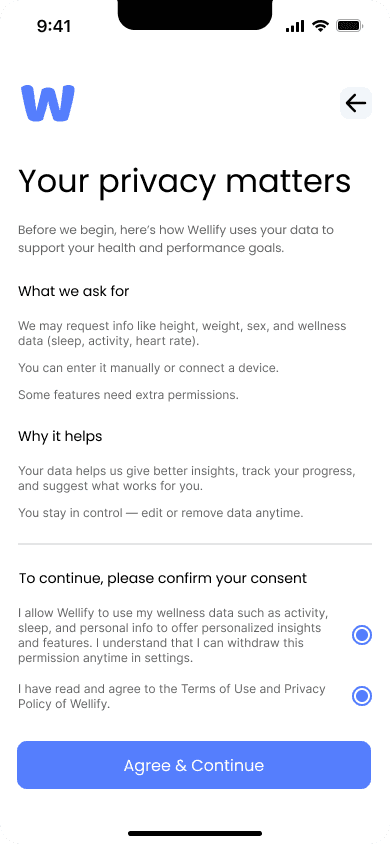
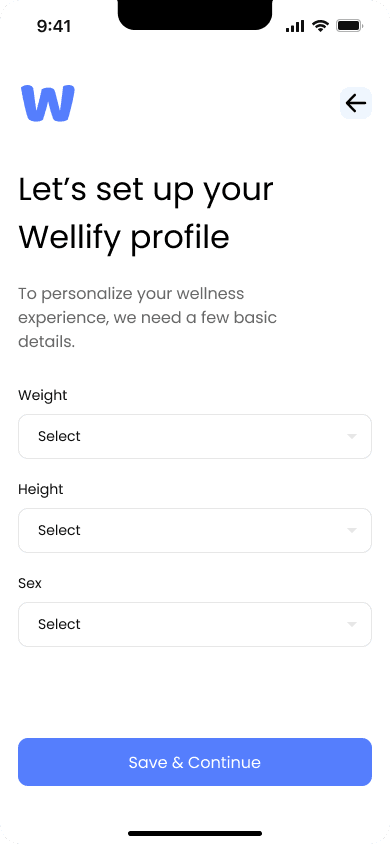
Designed a clear, step-by-step onboarding with fast Google/Apple sign-in, simple email verification, and a short profile setup to reduce friction before reaching the dashboard.
IMPACT
7/8 users completed onboarding without assistance
0 critical usability errors during sign-up
Median time-to-dashboard (Google / Apple sign-in): 45 seconds
Median time-to-dashboard (email sign-up + profile setup): 1 min 50 sec
Users reported low friction and clear understanding of next steps
METHOD
First-time user flow testing
12 participants, no prior product exposure
Measured task completion, time-to-dashboard by sign-in method, hesitation points, and qualitative feedback
PROBLEM
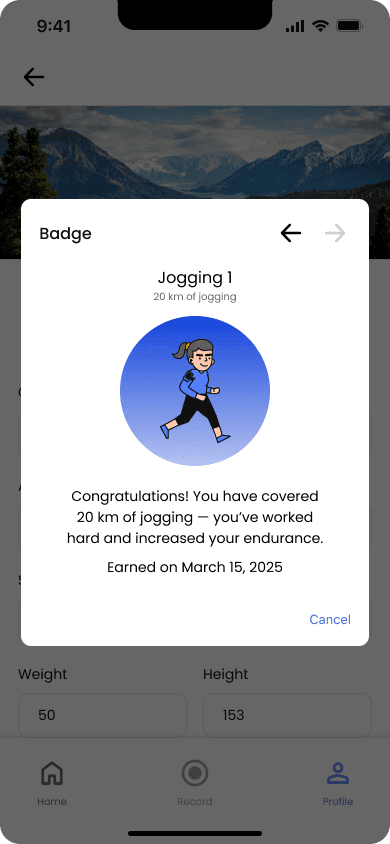
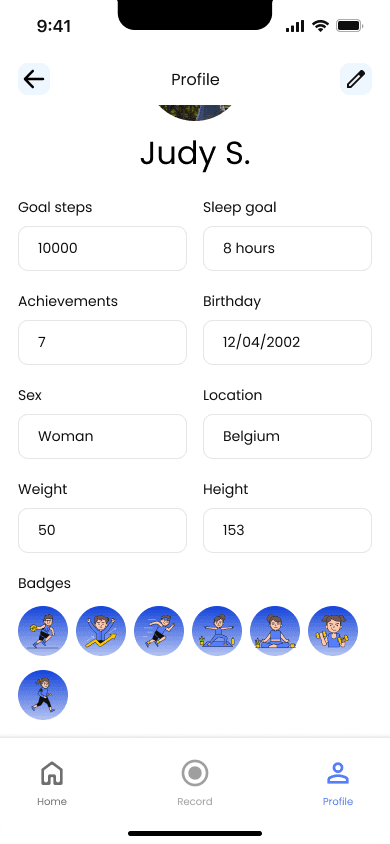
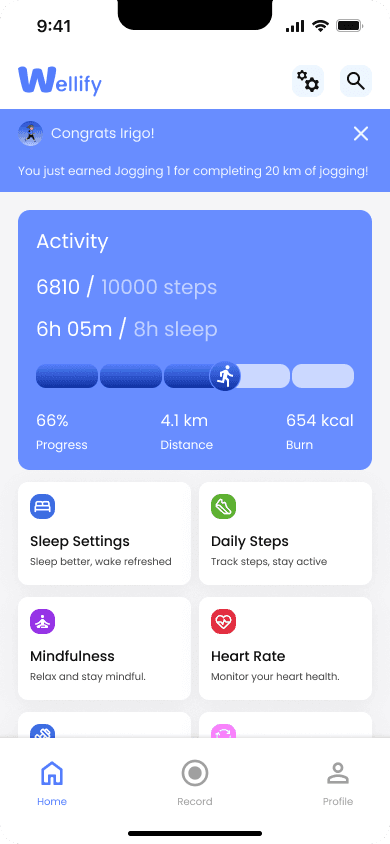
Lack of visible milestones makes progress less noticeable and reduces long-term engagement.
SOLUTION
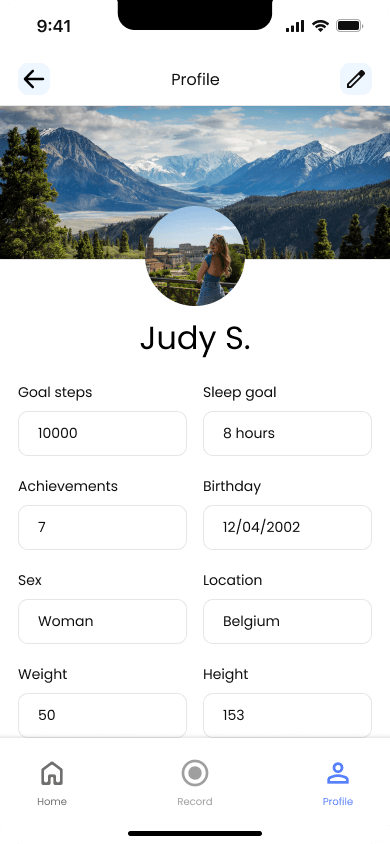
Introduced an achievement system with badges for key milestones and streaks. Progress is surfaced through in-app highlights and a dedicated profile section to reinforce consistency.
IMPACT
8/12 users noticed achievements without guidance
7/12 users checked their profile to review badges
5/12 users mentioned achievements as a motivation trigger
Users clearly understood what actions lead to progress
METHOD
Engagement-focused usability testing
12 participants, first-time product exposure
Observed badge discoverability, interaction with profile achievements, and post-task motivation feedback
PROBLEM
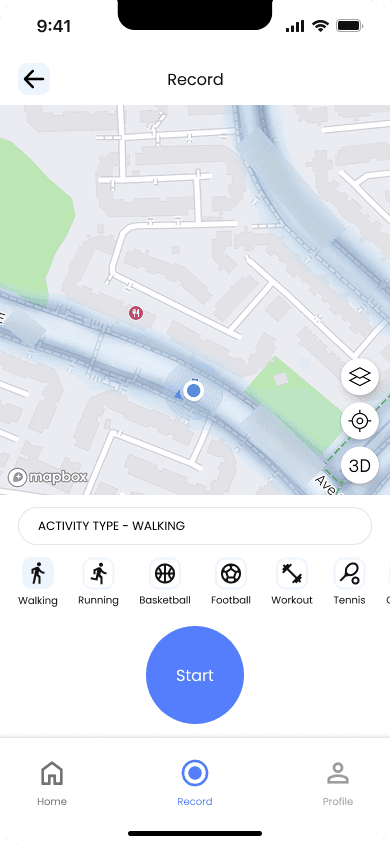
Complex workout flows make it hard to start, track, and understand outdoor activities.
SOLUTION
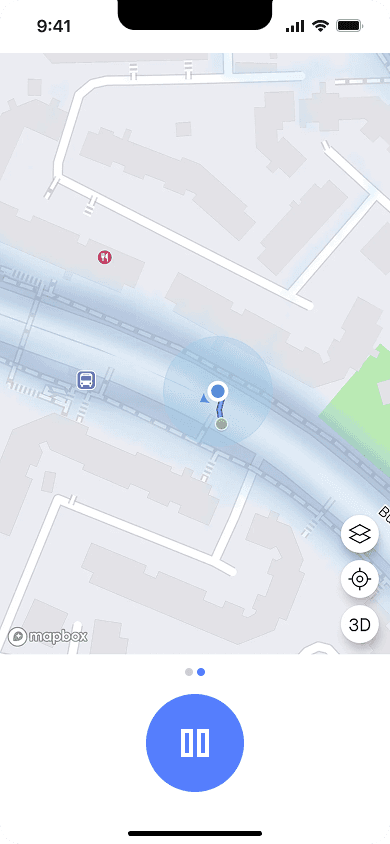
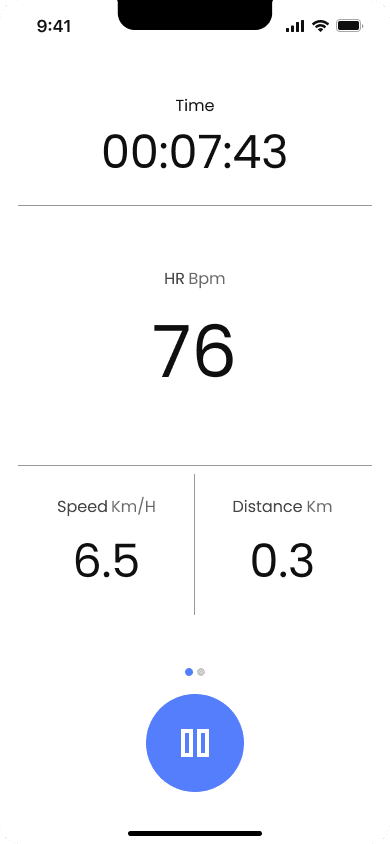
Designed a streamlined workout flow with clear steps: select activity, start tracking, view live stats, and review a simple summary after completion.
IMPACT
12/12 users started a workout without assistance
All users completed the workout flow and reached the summary screen
12/12 users correctly interpreted live stats during activity
Fewer pauses and back navigation observed in the single-tap start variant
Users reported higher confidence when starting outdoor activities
METHOD
Task-based usability testing, prototype A/B testing, and observational flow analysis
12 participants, first-time product exposure
Compared two workout start variants: multi-step start vs single-tap start
Observed pauses, back navigation, and mis-taps during activity start and tracking
Measured task completion, time to start tracking, understanding of live stats, and qualitative feedback
Reflection
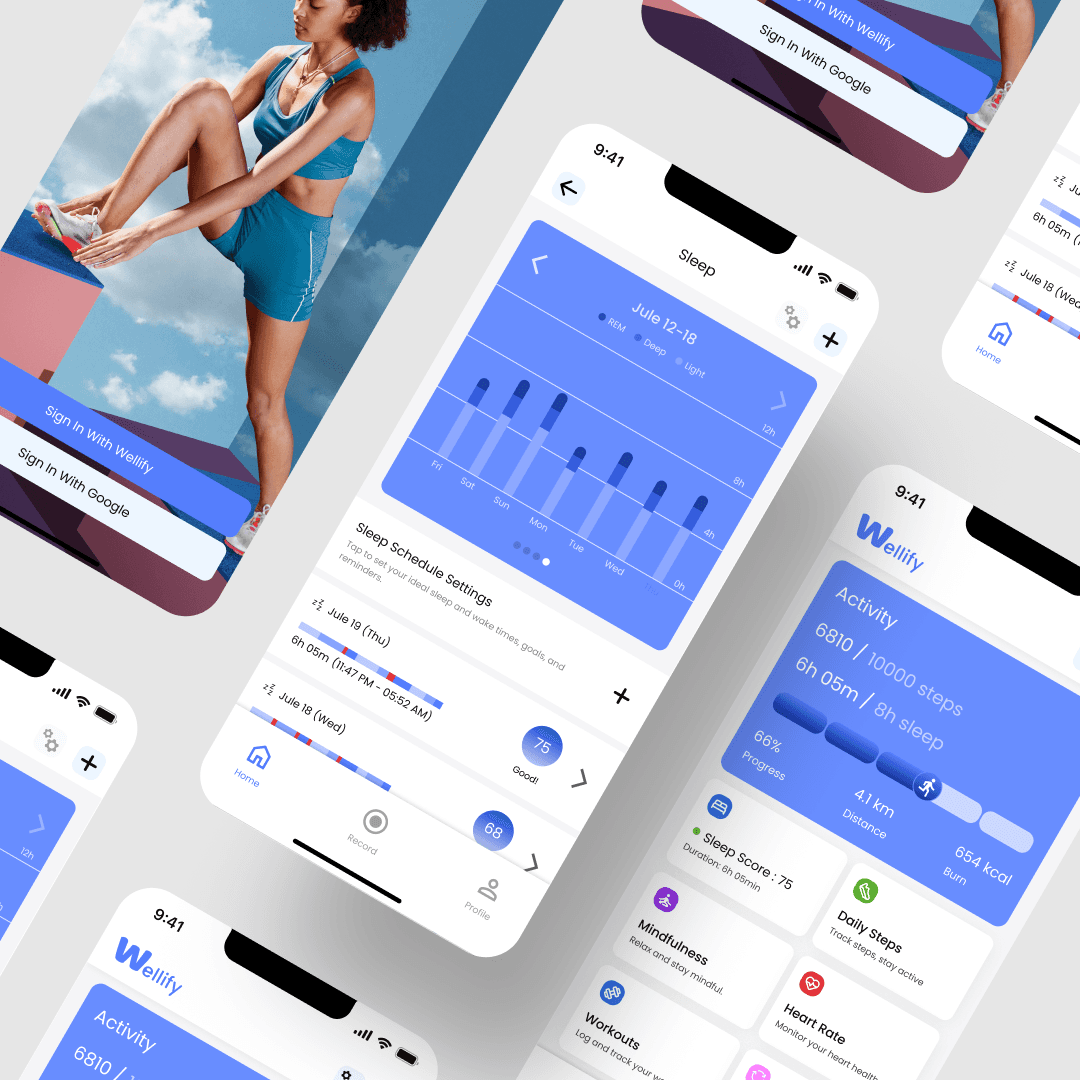
Working on Wellify focused my attention on clarity, consistency, and confidence across complex, multi-feature products.
Design System Maturity
Aligning typography, spacing, color, and interaction patterns helped create a cohesive and scalable interface.
Clarity in Complex Flows
Reducing noise and prioritizing key actions made analytics and tracking flows easier to understand.
Balancing Feature Richness
Structuring navigation and components kept the product powerful without sacrificing usability.
Key Learnings
Clear structure and small interaction decisions have a strong impact on trust, understanding, and long-term use.